

 : 产品列表(参数搜索)

- 型号 & 关键词搜索
- 交叉搜索
- 参数搜索
- 库存查询与购买
This webpage doesn't work with Internet Explorer. Please use the latest version of Google Chrome, Microsoft Edge, Mozilla Firefox or Safari.
请输入3个以上字符 Search for multiple part numbers fromhere.
The information presented in this cross reference is based on TOSHIBA's selection criteria and should be treated as a suggestion only. Please carefully review the latest versions of all relevant information on the TOSHIBA products, including without limitation data sheets and validate all operating parameters of the TOSHIBA products to ensure that the suggested TOSHIBA products are truly compatible with your design and application.Please note that this cross reference is based on TOSHIBA's estimate of compatibility with other manufacturers' products, based on other manufacturers' published data, at the time the data was collected.TOSHIBA is not responsible for any incorrect or incomplete information. Information is subject to change at any time without notice.
请输入3个以上字符
注册新会员
通过My ToshibaSemicon提升您的工作效率,并便捷获取各类技术资料。
只需按照以下步骤完成注册即可开始使用。
注册方式
仅需四个简单步骤即可完成注册。

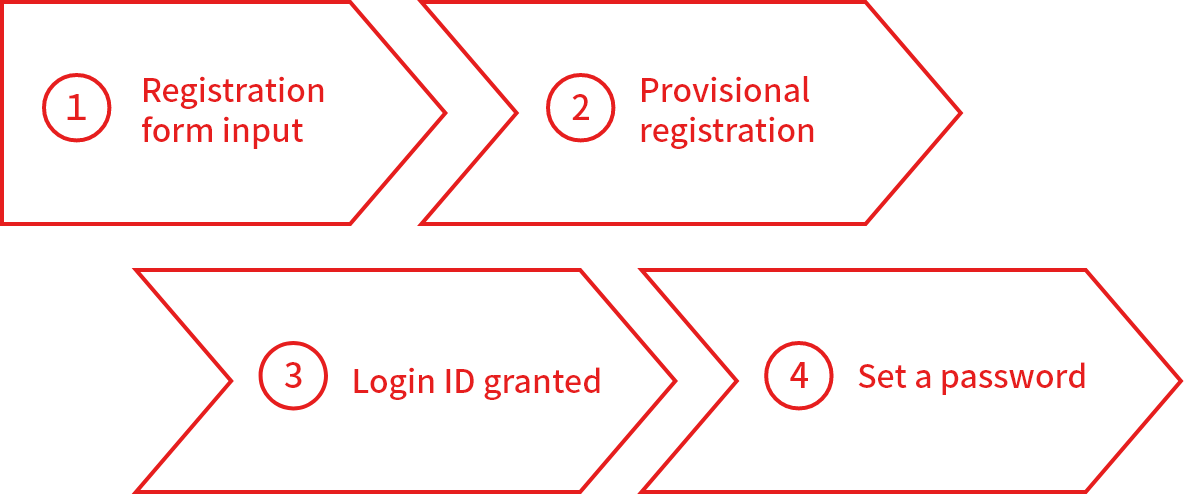
步骤1:填写注册信息
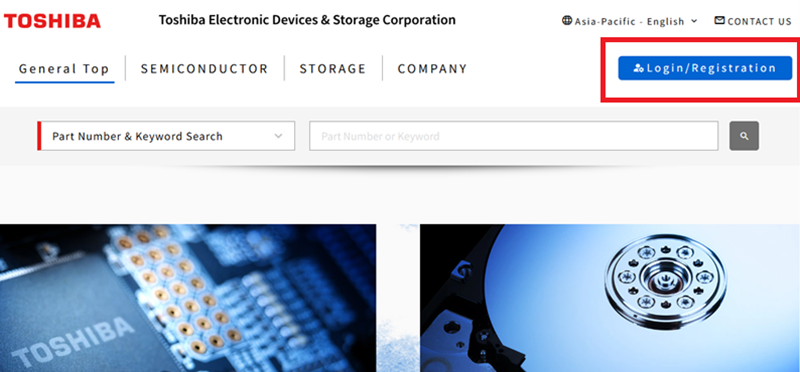
如需注册会员,请点击页面右上角[登录/注册]的按钮。
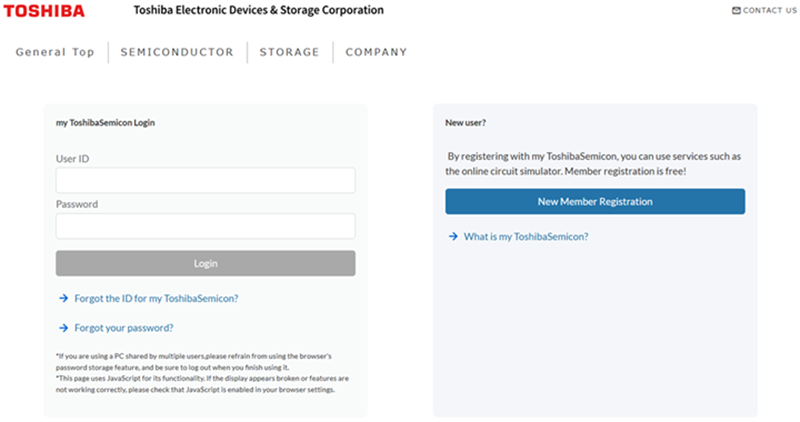
- 新会员注册
⇒请点击[新会员注册]继续
- 已注册会员
⇒请使用您注册的[my ToshibaSemicon登录账号]登录
- 忘记用户名ID
⇒请点击[my ToshibaSemicon ID用户名确认]找回您的用户信息
- 忘记密码
⇒请点击[密码重置]找回您的登录密码
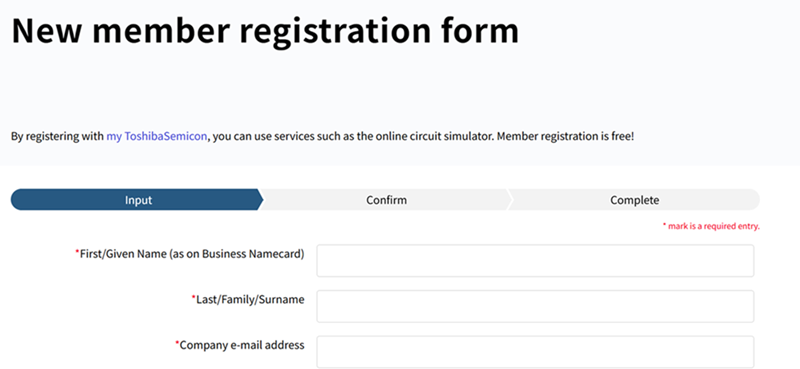
请填写注册表中的必填项目,继续完成免费新会员注册。
请按照以下步骤依次完成注册:
填写信息→确认信息→完成注册
步骤2:临时注册
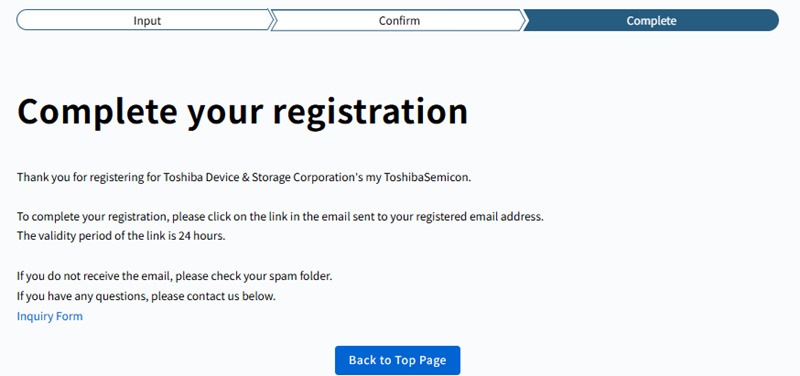
提交完成步骤1后,页面将显示“完成注册”信息。
系统将向您注册的电子邮箱发送一封标题为“my ToshibaSemicon临时注册通知”的电子邮件。
注意:如果您未收到该电子邮件,请参阅[我未收到注册或通知邮件]。
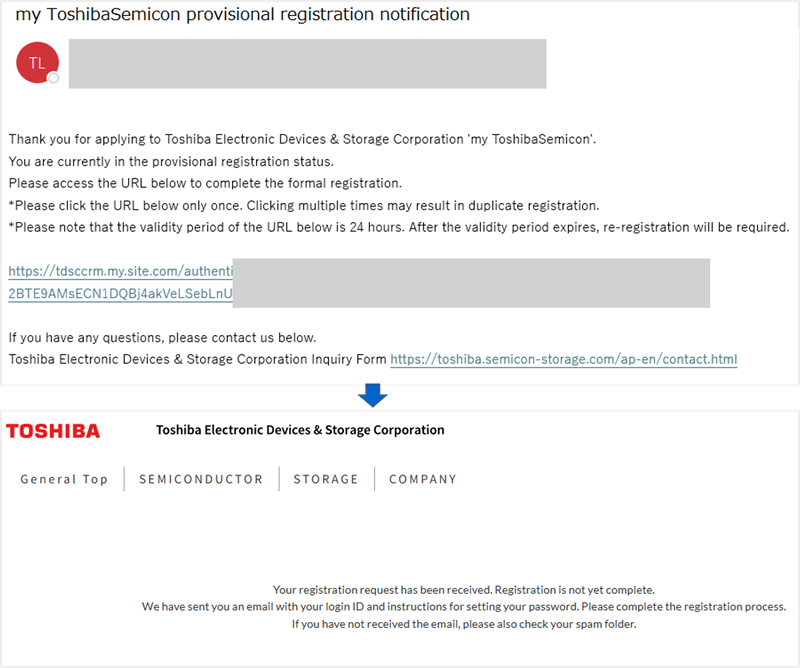
点击邮件中的注册链接即可完成注册。
注意:注册链接自发送起24小时内有效。若链接已失效,请重新提交注册申请。
请继续进入步骤3,完成后续注册流程。
步骤3:获取登录ID
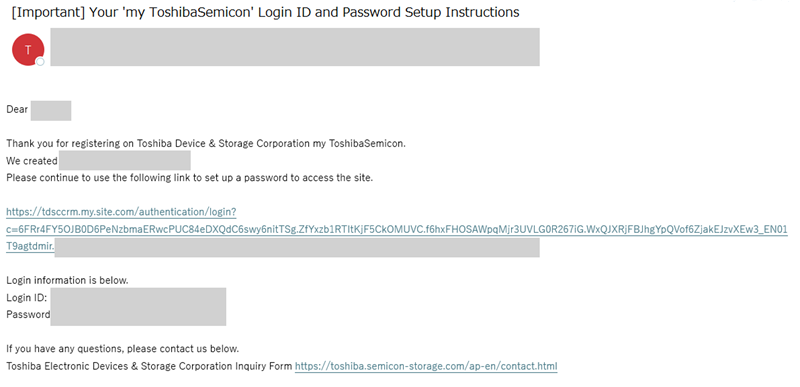
完成步骤2后,您将收到一封标题为
"[重要]您的'my ToshibaSemicon'登录ID及密码设置说明"的电子邮件。
该邮件中包含您的登录ID以及密码设置链接。
请通过邮件中的链接进入步骤4,完成密码设置。
步骤4:设置密码
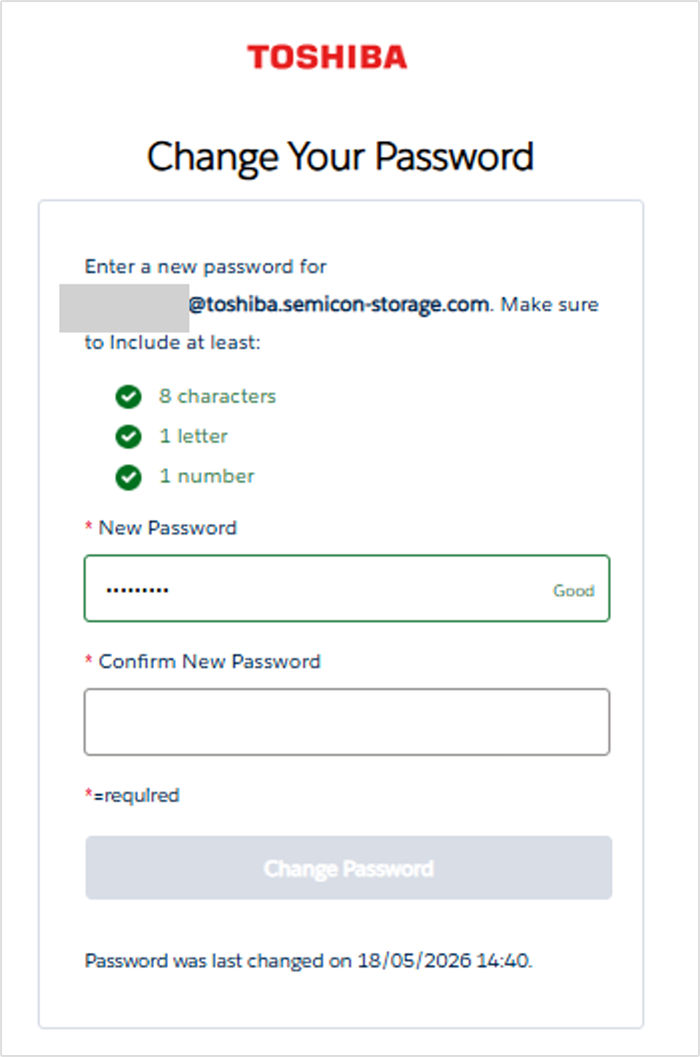
请查看步骤3中收到的电子邮件,并通过邮件中的链接继续进行密码设置。
在密码设置页面输入新密码并完成设置。
密码设置成功后,您的会员注册即告完成。